Loading

The strategy and cross-team coordination behind rebuilding Cloudflare's highest-traffic surface, moving from a domain-centric table to an account-centric dashboard built for a rapidly expanding product ecosystem.
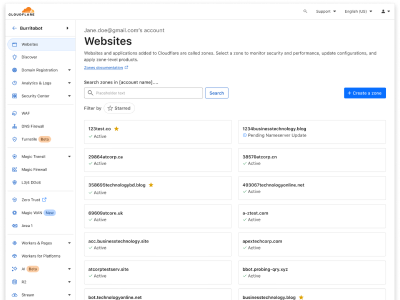
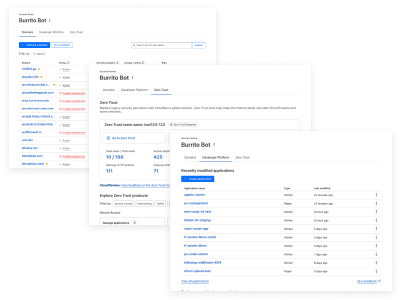
The Account Home is the highest-traffic page in the Cloudflare Dashboard, and the first thing the vast majority of users see after logging in. For years, it centered almost entirely on a domain table, with tabs for Developer Platform and Zero Trust buried beneath it. As Cloudflare's product ecosystem expanded rapidly, that architecture couldn't keep pace.
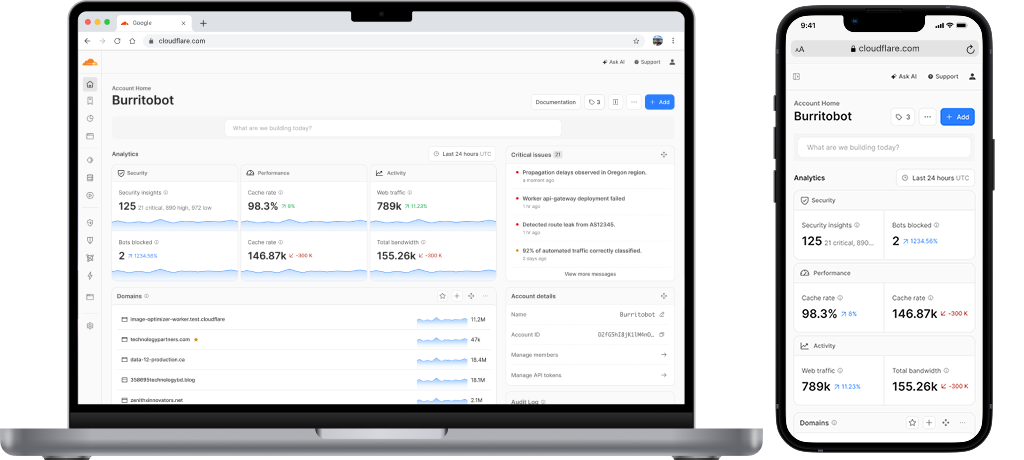
I led the full end-to-end redesign of this surface, driving it from a legacy domain-centric table to a modular, account-centric dashboard that reflects the full breadth of what Cloudflare has become. As Lead Product Designer at Cloudflare, I owned the full design lifecycle for this initiative, from early discovery through to final production launch.
Throughout the process I managed multiple concurrent design cycles, led stakeholder design reviews, and collaborated closely with engineers to safeguard implementation quality. I developed the user research plan and conducted testing to deliver high-performing outcomes for everyone who logs into the Cloudflare dashboard.
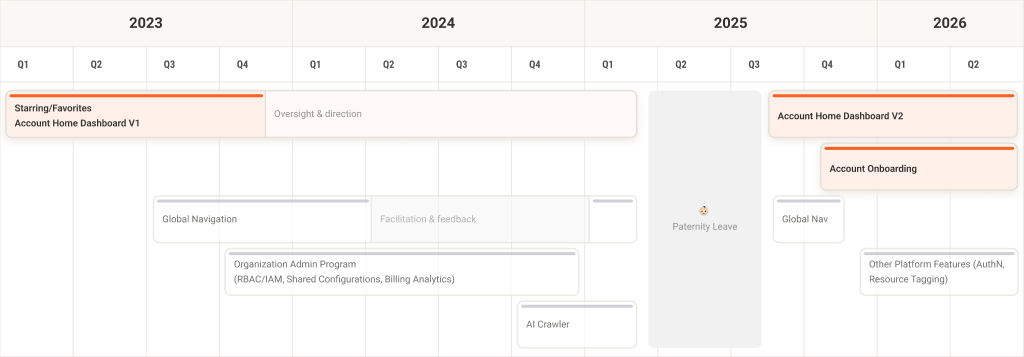
As Cloudflare's product ecosystem expanded to include sophisticated developer platform resources — Workers, R2, VectorDB, and beyond — the dashboard's primary landing surface struggled to scale alongside it.
The job stories below were derived from a combination of cross-team conversations with product managers across each vertical and qualitative insights gathered from customer interviews and UserTesting sessions. They were also distilled from more detailed, feature-focused stories carried over from legacy efforts and contributed by active team members closest to each product area.
Rather than writing to individual features, the goal was to capture the broader intent behind why different users return to the Account Home and what a successful session looks like for each of them. These stories became a shared reference point across design, product, and engineering throughout the project.
The Cloudflare Account Home had largely been left alone, defaulting to the same domain-centric presentation it had always had. As the product portfolio grew, no one had stepped back to reconsider whether that starting point still made sense. The result was a landing screen that worked for a narrow set of users — primarily those managing individual domains — but failed to reflect the depth and scale of what Cloudflare had become.
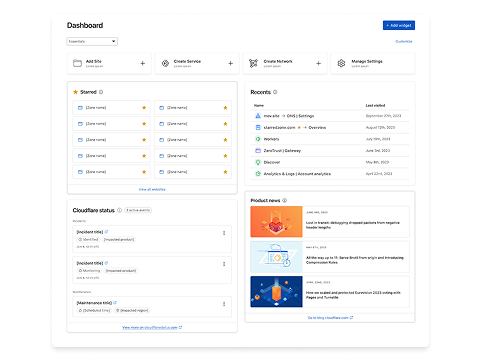
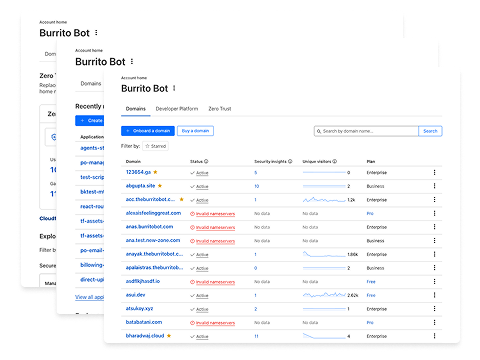
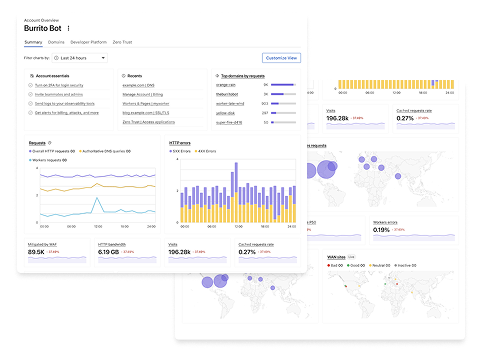
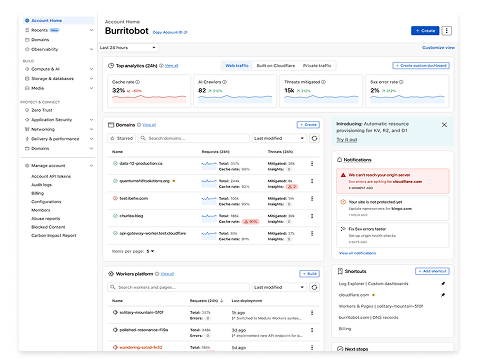
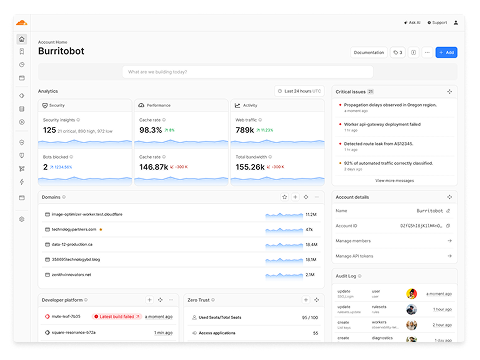
As Lead Product Designer, my core challenge was synthesizing competing internal visions, establishing shared design references, building reusable governance frameworks, and designing a content architecture that balanced cross-product discoverability with genuine user simplicity.
In Phases 1 and 2, I made significant progress providing architectural blueprints across two different analyses, including Global Navigation and end-to-end customer journeys built around the platform services needed for the next phase of company growth. While not always advancing the account home design during those phases, I contributed to eventually launching the tab experience and supplying more of the powerful data visualization tools to the team.
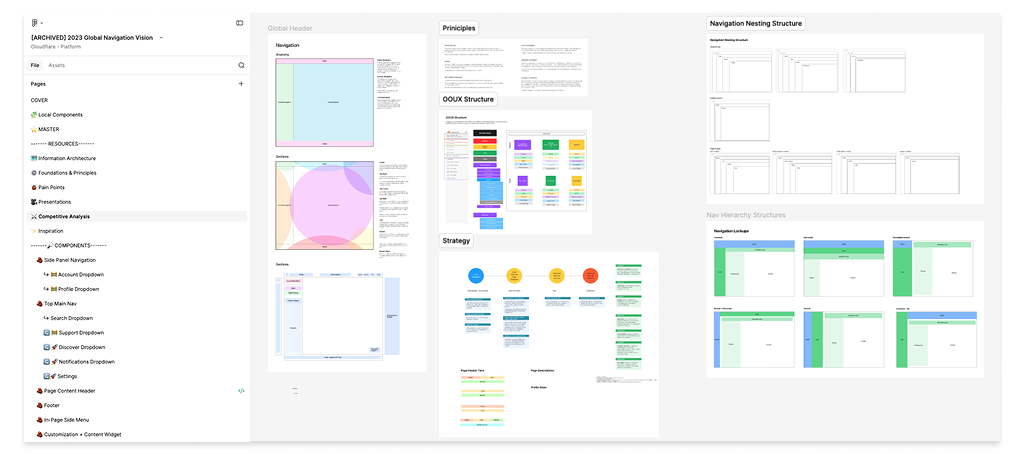
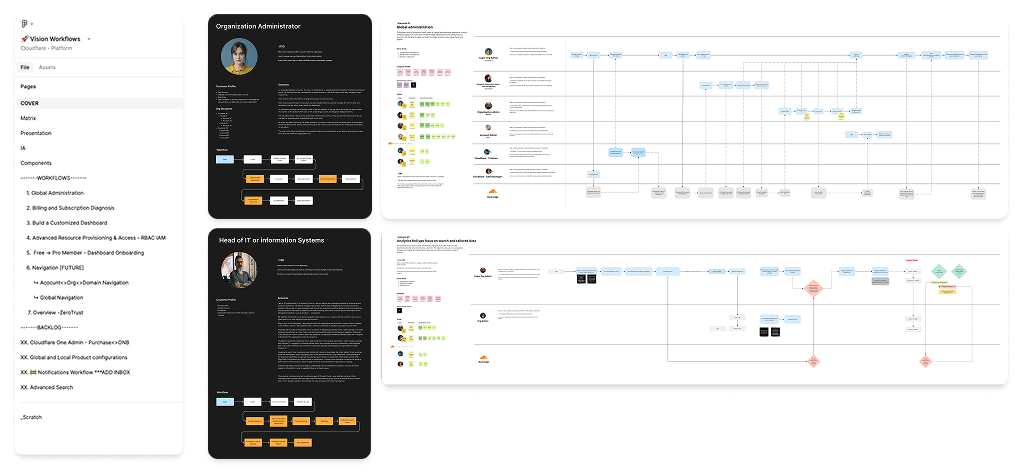
The design and validation phase followed a unique, non-linear trajectory that required high adaptability and deep cross-functional alignment.
Throughout the project, Figma served as the primary tool for deep design exploration and collaborative documentation. The process evolved to integrate advanced AI tools like Anthropic and Cursor, bridging the gap between static design and production and maintaining medium-fidelity directly in code during active build phases.
Cloudflare's "AI first" mandate reshaped how the team worked at every level. With the introduction of AI in tooling and process, ideation, research synthesis, and feedback categorization became heavily automated, freeing up more time for the design decisions that actually required human judgment. Prototyping moved into coding tools like OpenCode and Windsurf, where agentic workflows let designers review code and contribute PRs directly to the effort. Traditional exercises like user research and prototyping didn't disappear, but the speed and surface area of what the team could explore expanded significantly.
To ensure our design decisions were rooted in real user needs, I designed and executed a multi-tiered research strategy. We began with generative research to map user mental models, moved into collaborative co-design workshops with both team members and customers, and concluded with tree-testing originally developed for the Global Navigation initiative that we repurposed to validate the Account Home information architecture.
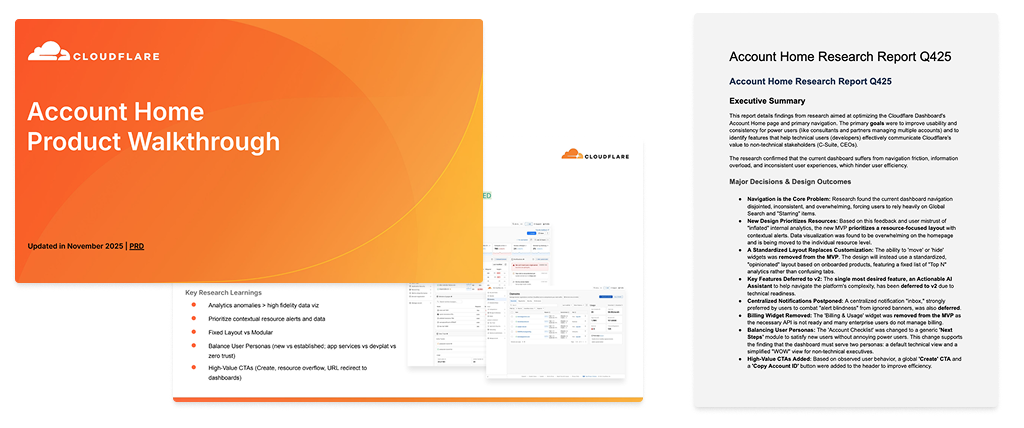
For qualitative insights, we ran moderated sessions through UserTesting and conducted deep-dive interviews over Google Meet with internal stakeholders. Notes and findings were synthesized using Gemini and Opencode, which helped us stack rank features and build toward a focused MVP solution. Post-launch, we sourced feedback through Google Surveys during soft launches and leaned on internal networks across design engineers and cross-product partners. A highly active Discord community also became a valuable recruiting pool for research participants. By the time we reached final handoff, our documentation had been validated and distilled to the essentials, alongside a clear roadmap to guide what came next.
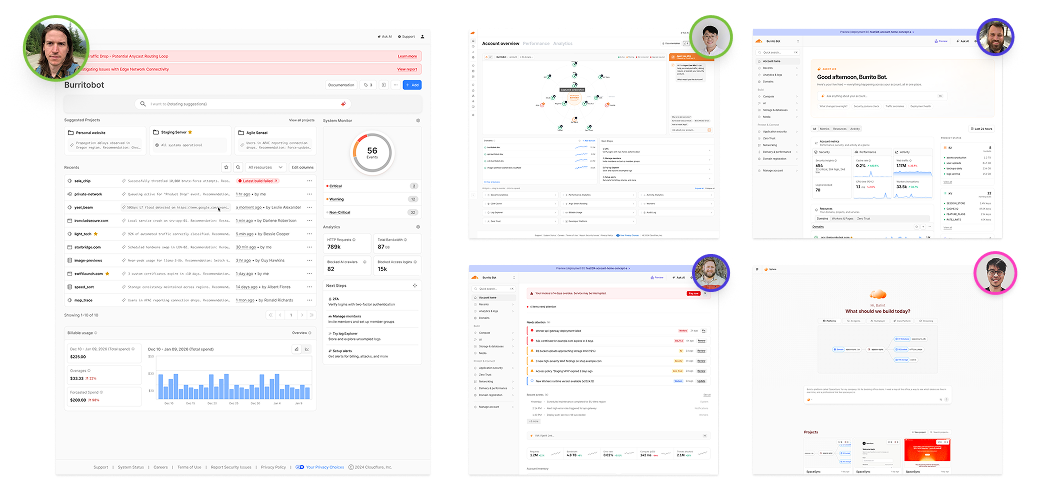
During the project I pioneered new processes by working with primary engineers during live build sessions. I used LLM design capability validation tools in an AI-driven process-building cycle. With the help of my design manager, we built an internal vibe-coded tool that stored and categorized inspiration and team directions by archiving PRs, Figma links, and external references — giving the team a living mood boards and visual tracker they could return to throughout the project.
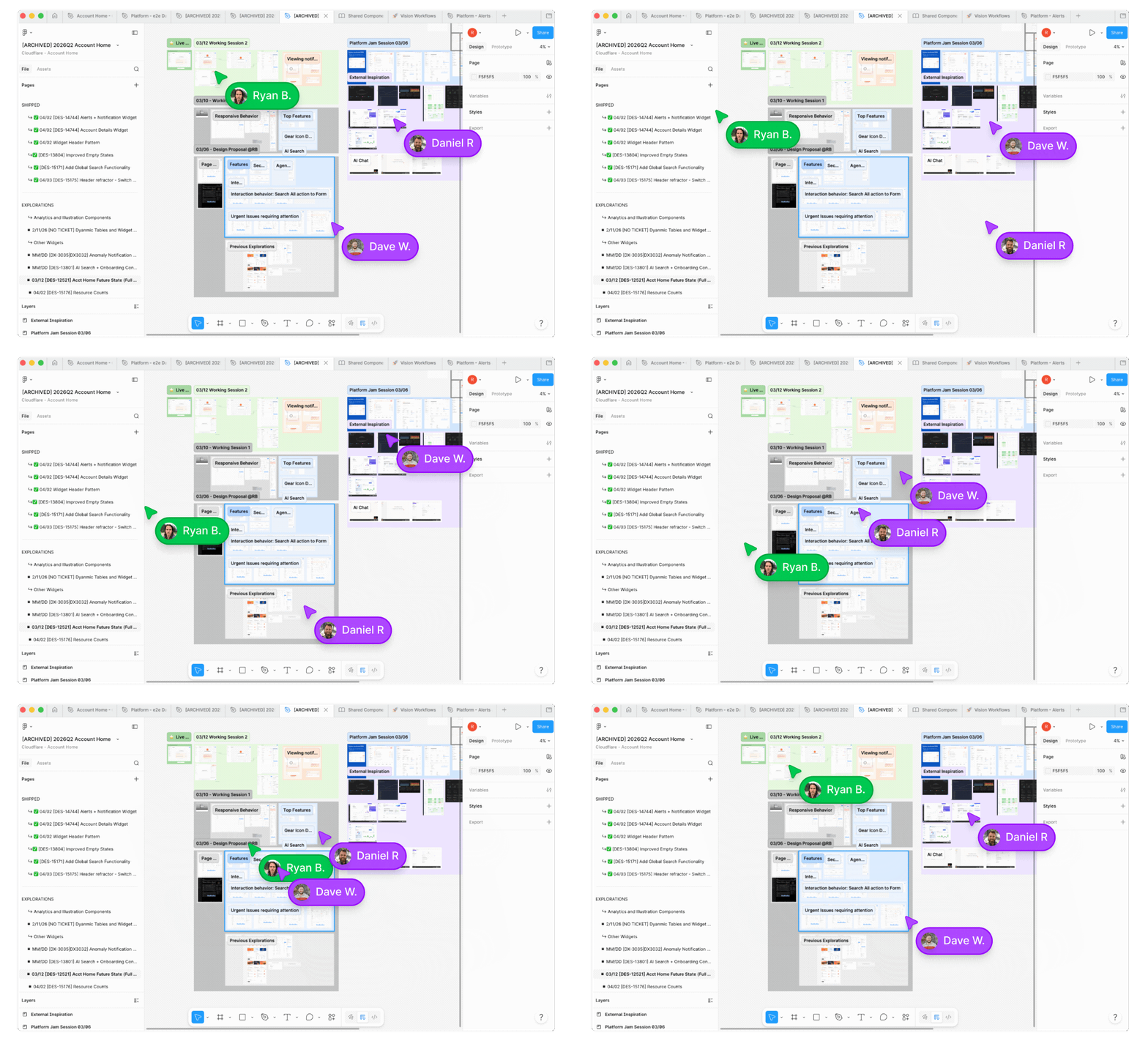
One of the most exciting workshops was a 'vibe coding' workshop with our engineering team to map features and technical feasibility. Design Eng and PM proposed an ideal home dash using available tools and resources. Post workshop myself and the assigned engineers were tasked with translating the ideas and testing with users.
No feature went to engineering without detailed documentation on components, dark/light mode, data source behavior, templates, and update schedules.
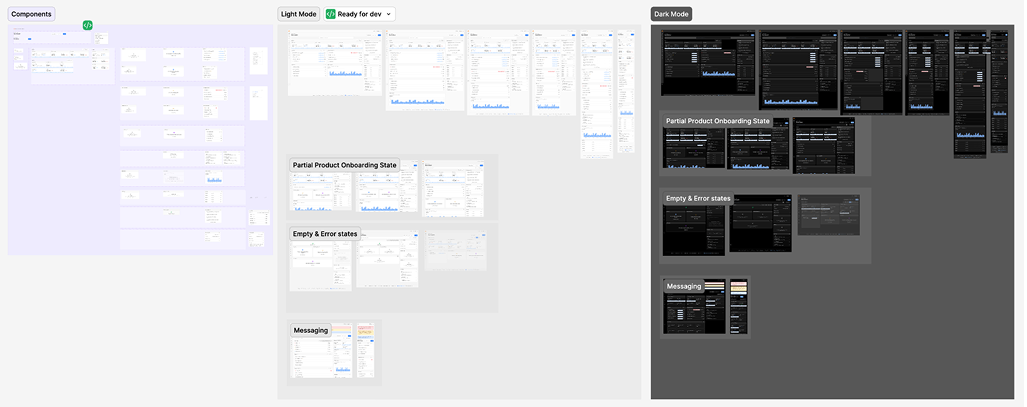
The documentation contained all unique design decisions to track the provided program, constraints, and priorities with attention to the stored knowledge of the problem space. All design specifications were dated and attached to deliver for easy searching. Older versions were kept in sync so I could pull those ideas forward in the queue to begin implementing immediately. This organizing of the team facilitated building a consistent roadmap to get to launch.
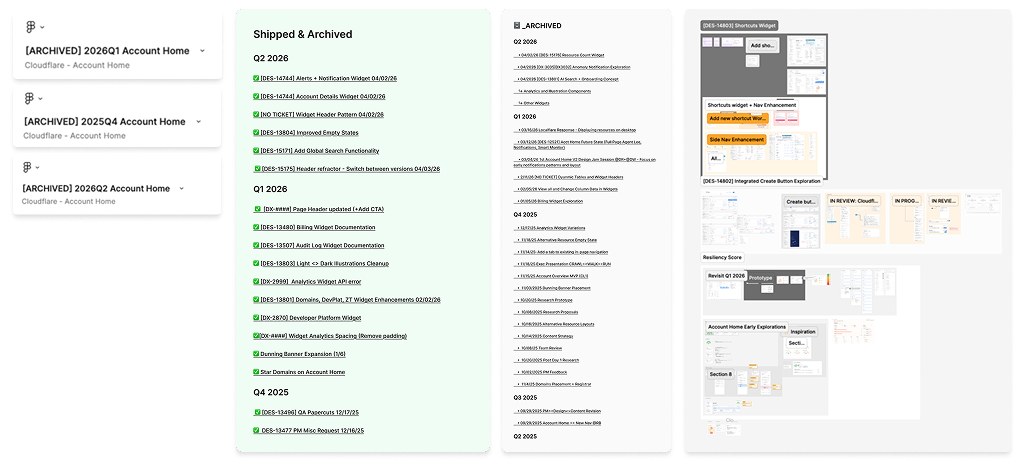
Every decision on a surface this complex needed a rationale that could hold up across engineering, product, and leadership — and a way to prove it was working once it shipped. That meant mapping dependencies across workstreams, coordinating across designers at the program level, and ensuring every moving piece had a clear owner and a path to delivery.
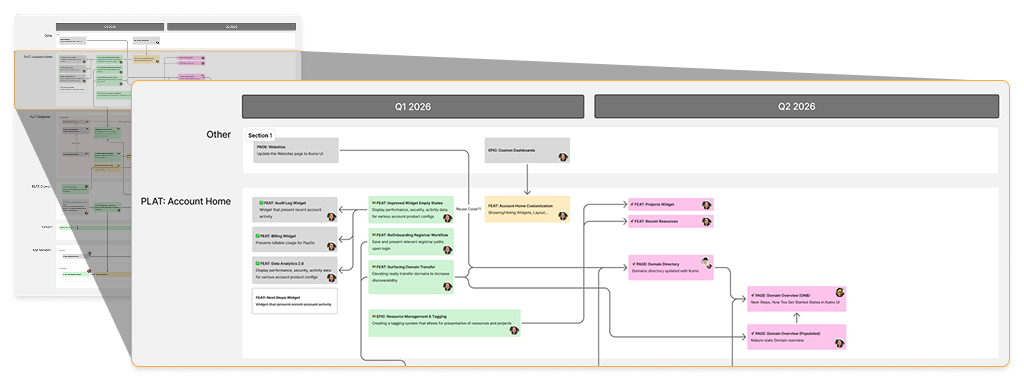
The scale of this project was unlike anything a single surface should demand. As one of four designers on the platform team working alongside roughly forty engineers, every design decision carried system-wide implications. Dozens of directly connected workflows fed into the homepage, each requiring careful coordination to ensure nothing slipped through the cracks. Weekly program level meetings kept the team aligned, surfacing gaps early and maintaining momentum across one of the most interconnected design efforts on the platform.
One of the most valuable testing processes I implemented at Cloudflare was a Business Thinking for Designers framework. The framework emphasized how designers need to communicate design value and incorporate business metrics into their approach to every feature decision.
The framework:
| Impact | Metric |
|---|---|
| Encourage multi-product adoption | % of users active on 1+ products within 30 days |
| Improve new user activation | % of accounts that activate at least 1 product in first 10 days |
| Drive asset creation | % of users who click to "Create" a new resource from Account Home |
| No dip in PRO Banner impact | Clicks on marketing banners stay the same or increase |
| Strengthen early retention | % of users returning within first 5 days |
| Increase speed to task | % of customers relying on Account Home to begin and complete session tasks |
| Drive page engagement | % of users using Account Home to take action |
| Surface relevant insights & notifications | % of sessions where a user clicks at least one suggestion and successfully completes workflow |
| Increase relevance | % of users engaging with prioritized resources |
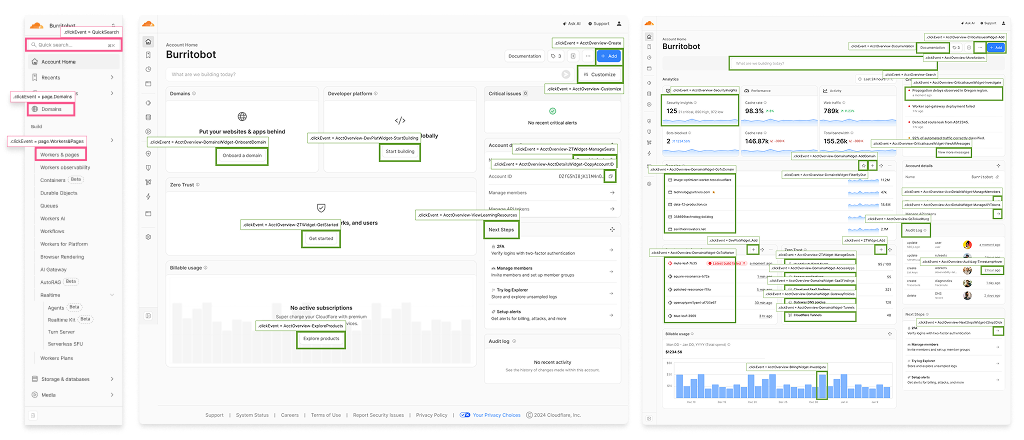
With a multi-faceted surface like this, the team needed a way to pinpoint success and define progress. We tracked OKRs and global customer feedback collected directly from the Sparrow dashboard. OKR tracking also pulled product adoption metrics from usage and sessions over time, with Navigation as a key amplifier for usage and measurement of anomaly statistics to accelerate discovery of multiple products.
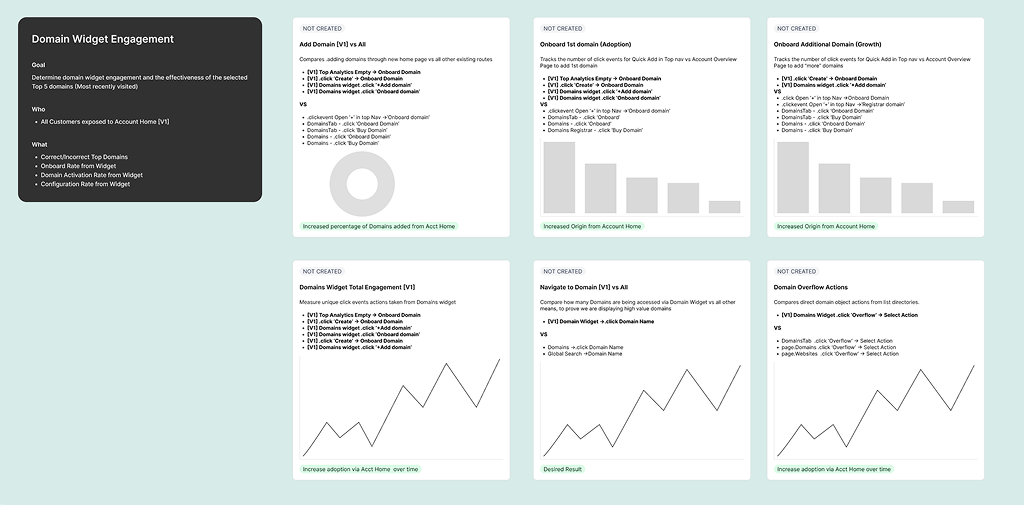
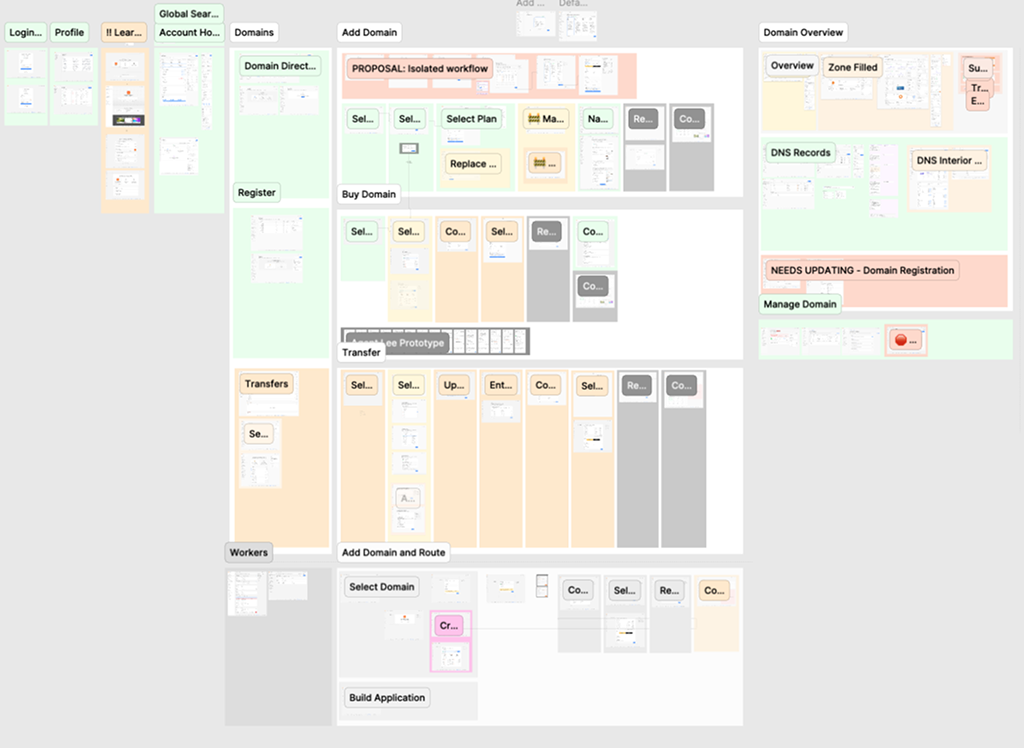
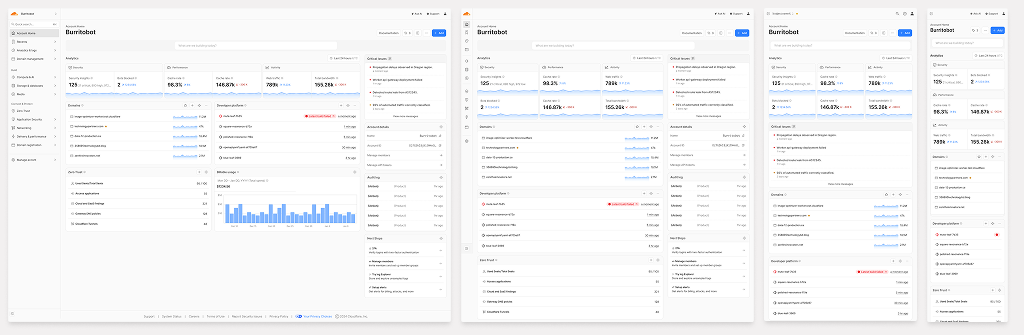
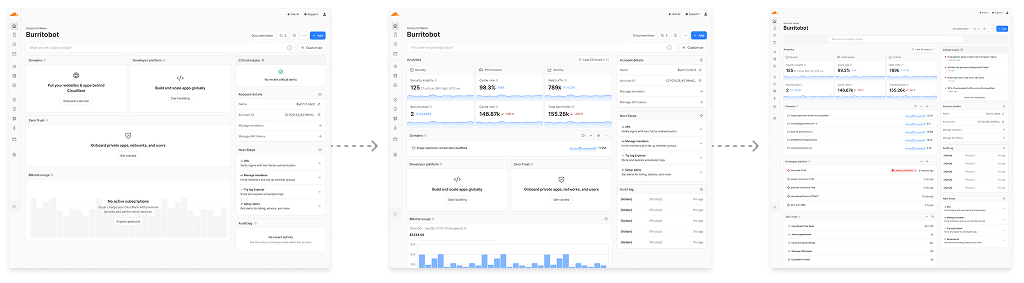
The design and validation phase followed a unique, non-linear trajectory that required high adaptability and deep cross-platform alignment.
Throughout the lifecycle, Figma served as the primary tool for deep design experimentation and collaborative documentation, with AI tools like Anthropic and Cursor bridging the gap between static design and production and maintaining medium-fidelity directly in code during active build phases.
Tracking the impact of a surface this large required more than intuition. Using the Sparrow Framework, we were able to monitor behavioral trends over launch to tie design decisions directly to measurable outcomes. The data told a clear story: users were finding products faster, achieving more with search, and exploring more. These signals showed multi-product adoption, search engagement, and task speed all trending positively after launch.
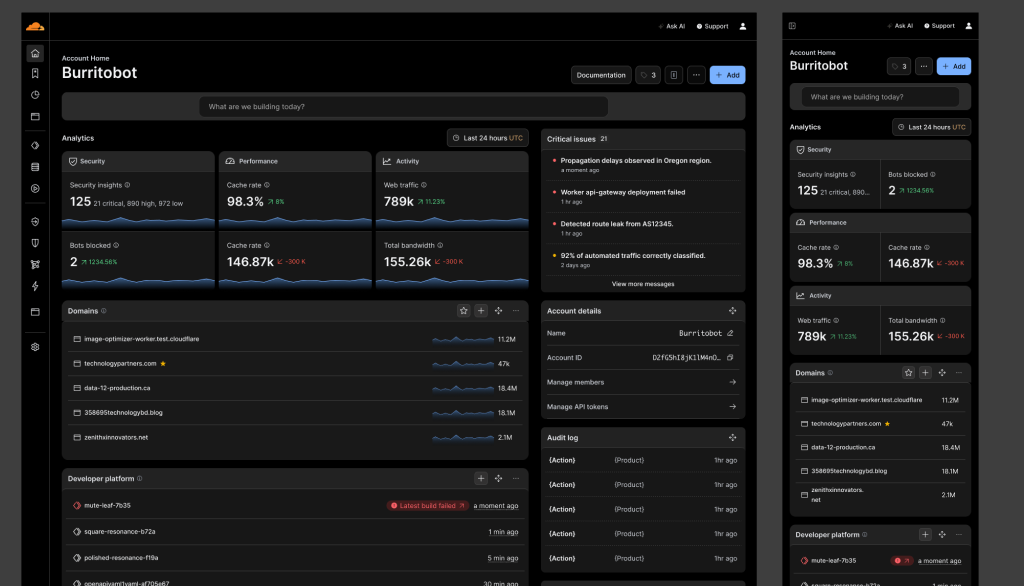
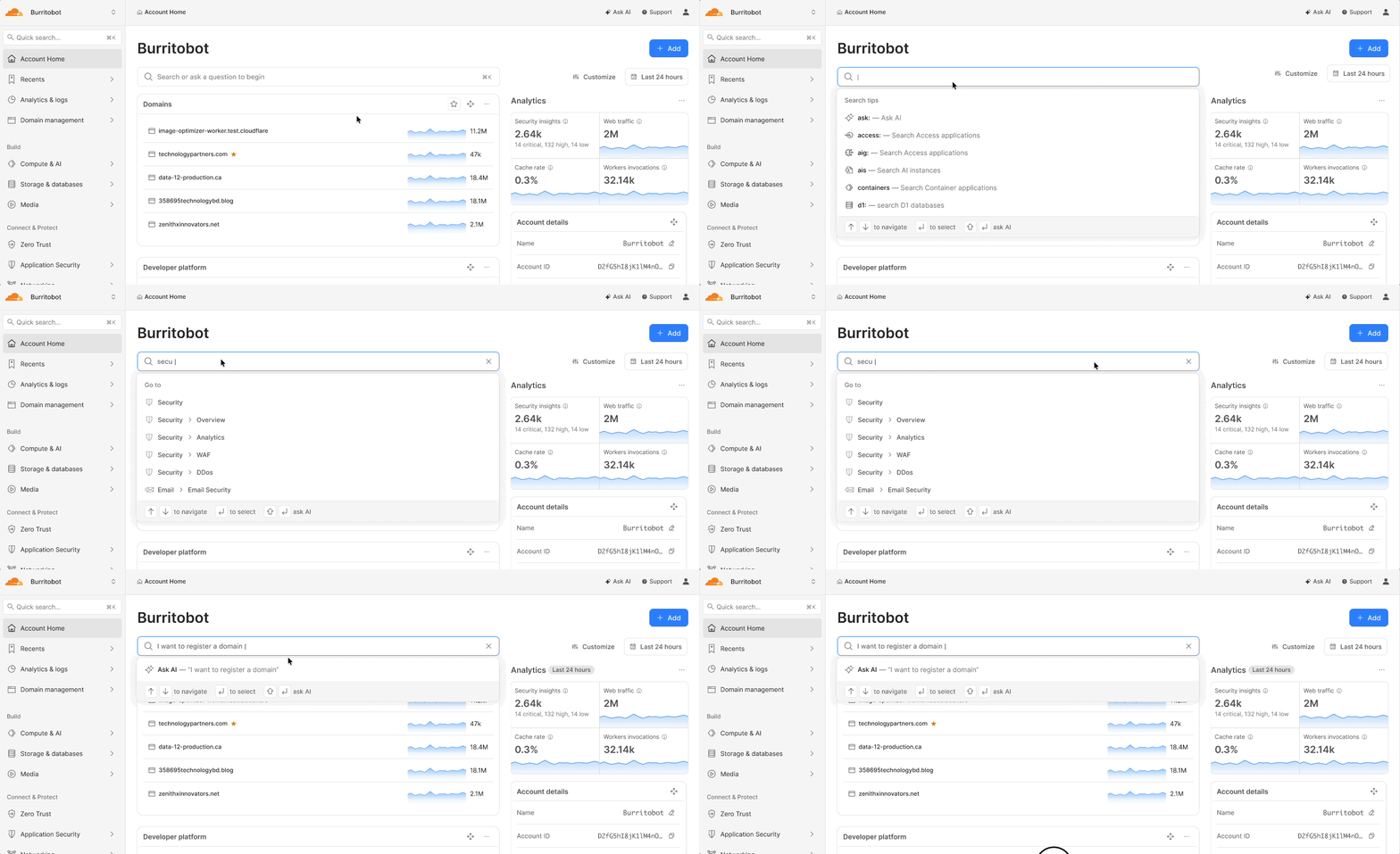
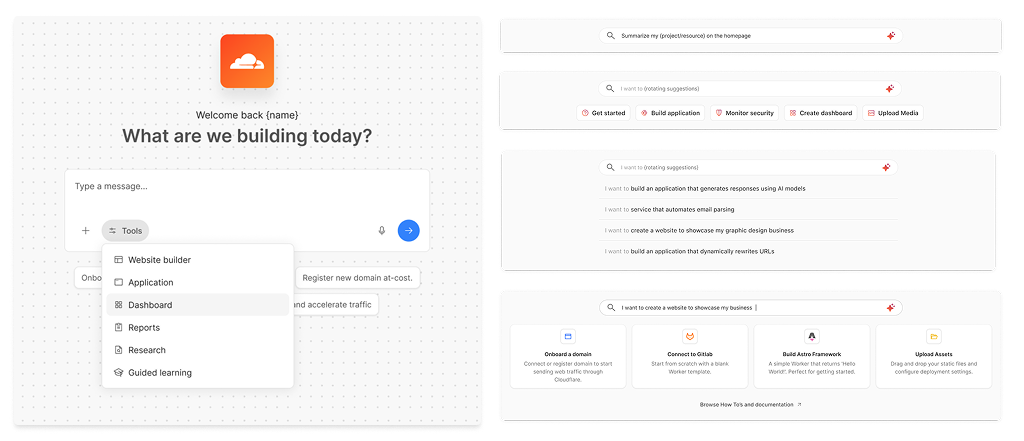
The most powerful and praised feature became the AI Assistant. I was design capability addition to support more user-friendly customer journeys, providing easy access and a securing framework. This strategy was validated through A/B test consulting and in collaboration with executive clients to surface insights, account trends, and intelligent question-and-answer across the platform. The search surfaces AI tags offering relevant and natural language links for finding anything in the dashboard.
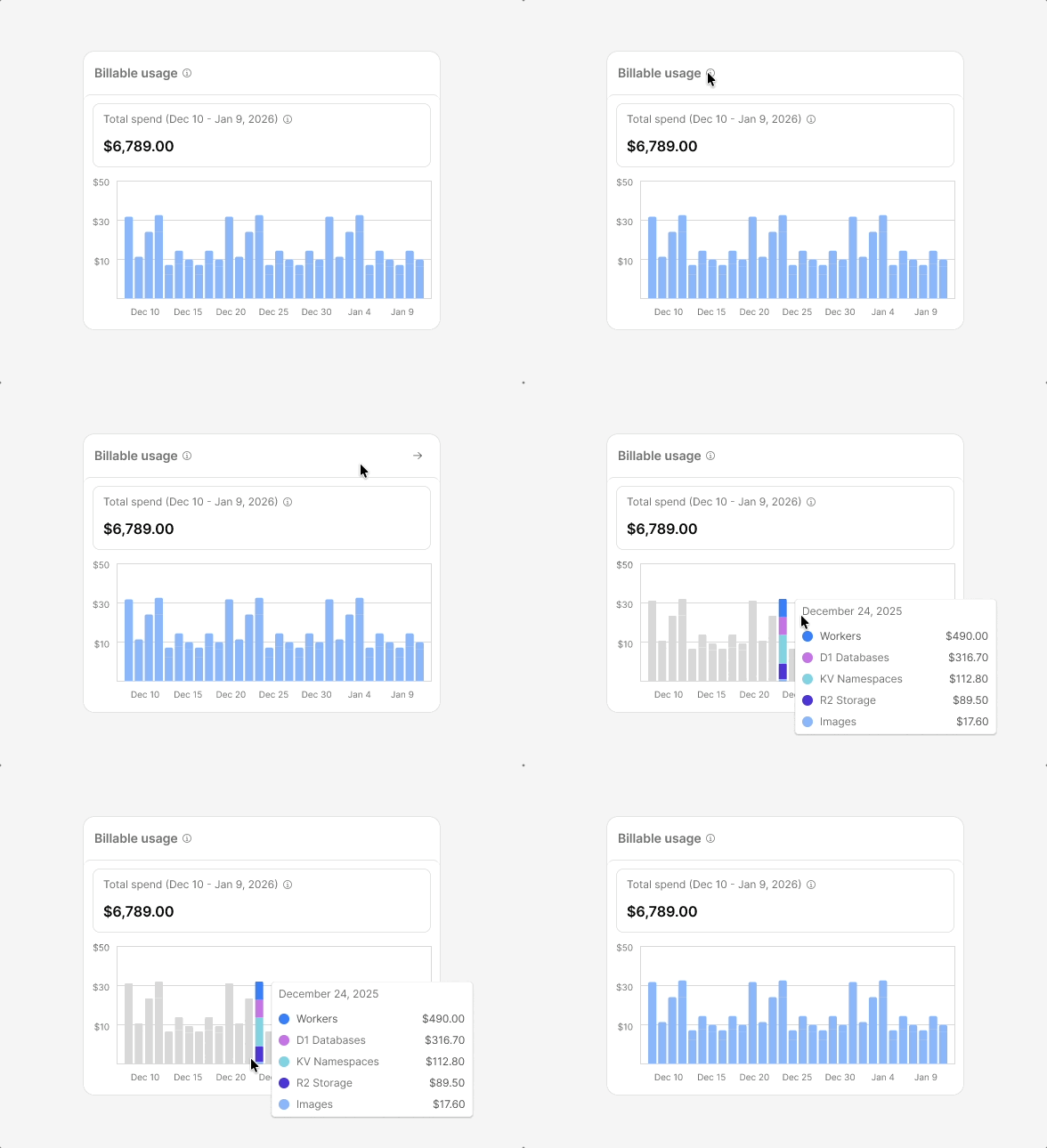
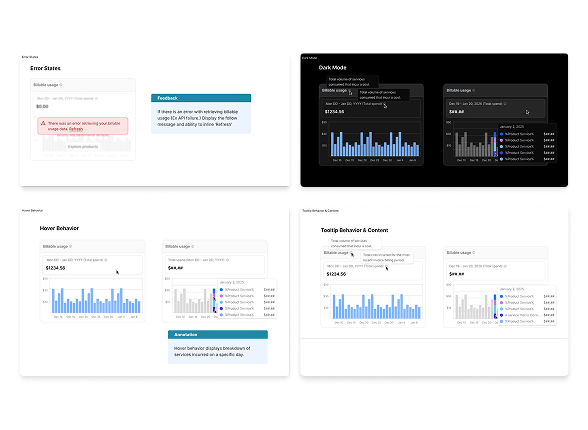
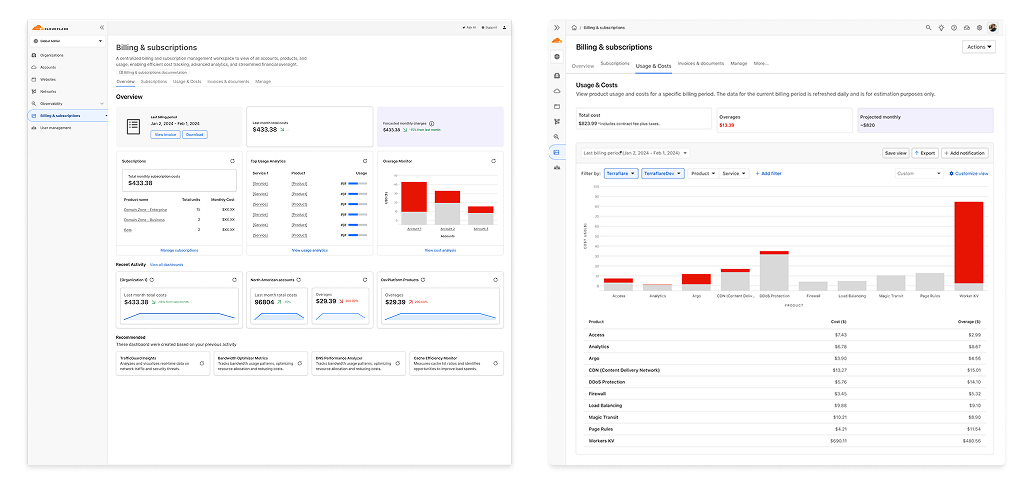
Multi-trillion-dollar accounts are complex and high-stakes, making usage transparency critical for enterprise users. By accessing the canvas under the feature section, we worked individually with each subwidget partner success event. I used documentation to build a more nuanced and thorough companion, working with PMs to build an Amplitude dashboard to track success. The widget also offered direction to a highly inclusive billing dashboard — a new-tier capability supporting account activation.
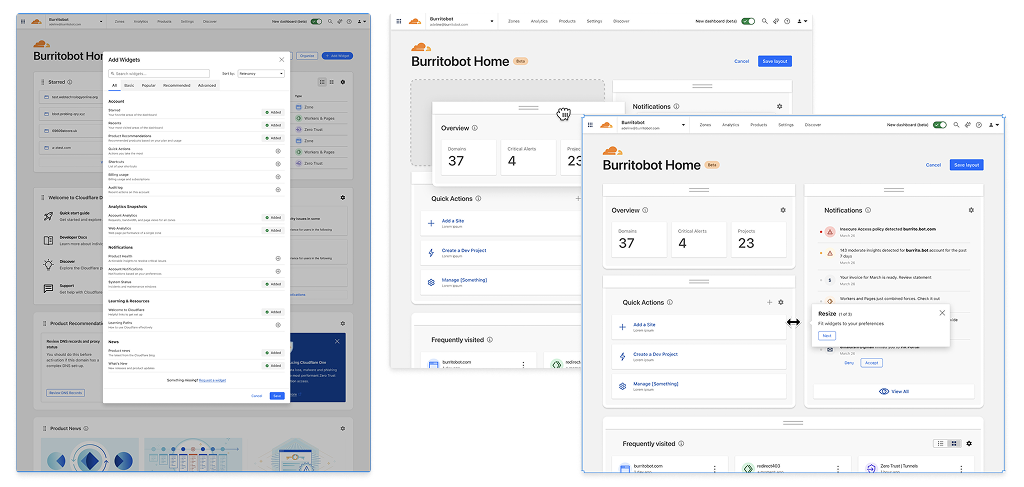
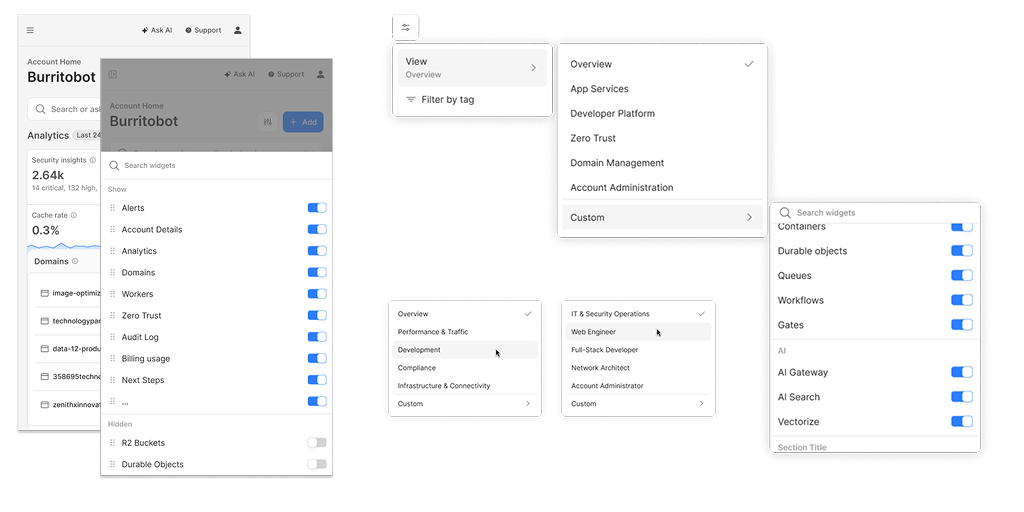
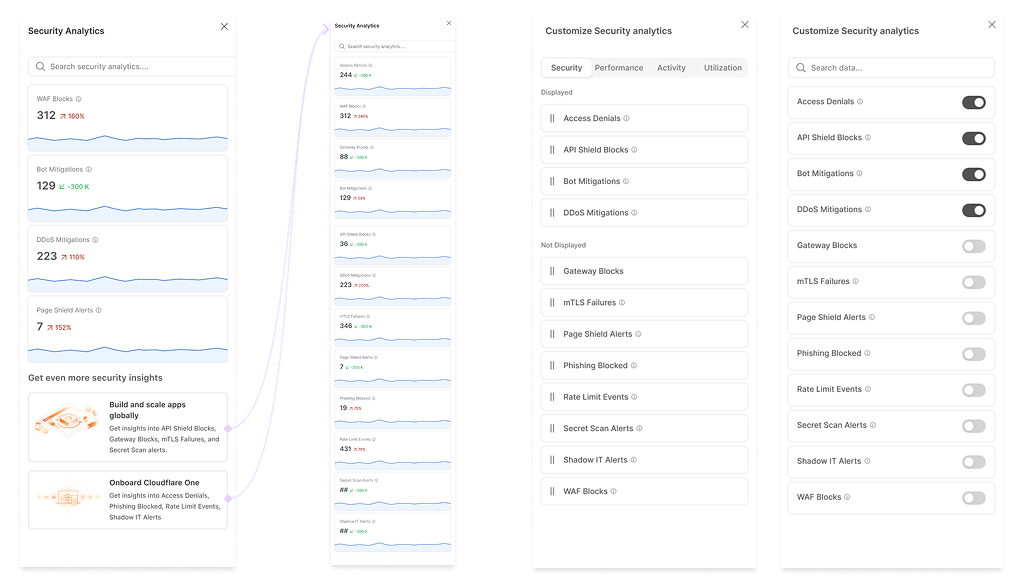
Customization analysis in the context of the Account Home revealed that users wanted control over what they see and in what order. The main broad ideas centered on layout preference, widget ordering, and context-specific controls. I used documentation to build a thorough companion dashboard on the Cloudflare platform. The team began enabling account components on the home page, while test choices and feature flags measured the illusion of beta production rollouts.
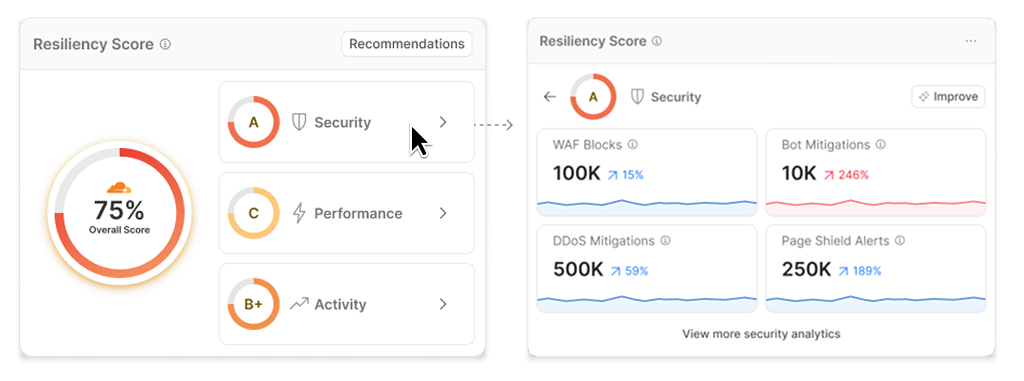
The Resiliency Score was designed to provide users a composite, real-time view of their account health, built from accessible customer account summaries. Account health draws on Resilience privacy analytics. Designed as an "overall" indicator, the score builds a broader portfolio of resources and utilization. By systematically tracking capabilities and portfolio on build, it acts as a progression system that improves overall scores and encourages feature adoption.
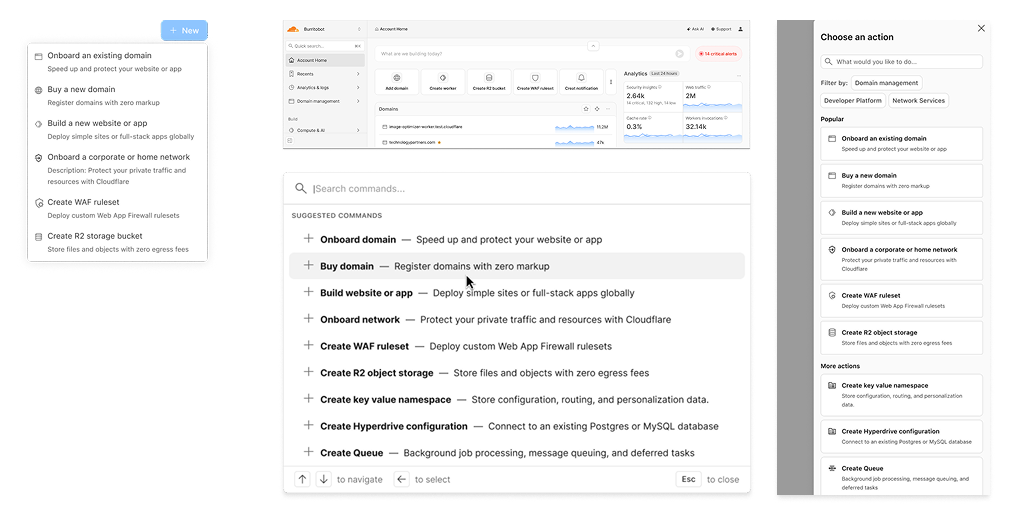
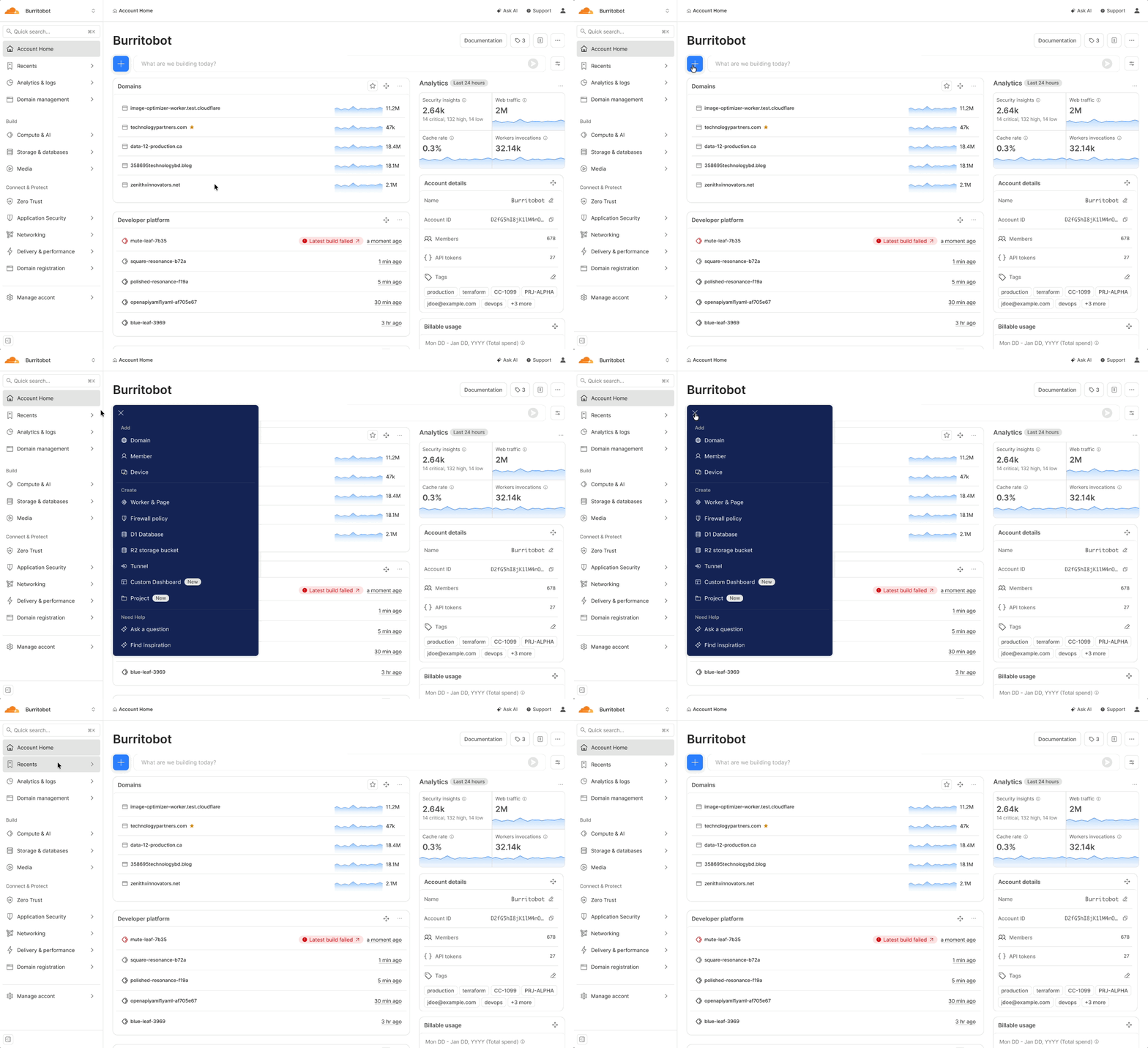
A protracted "Add CRC" was added to the Account Home as one of the first navigation-native features. The "Add" flow shows an account listing of all categories available to and searchable by the user. These flows give users the capacity to quickly access and further explore offerings by supporting specific workflows.
Beyond the metrics and deliverables, navigating a project of this scale offered invaluable insights into cross-functional alignment and the evolving role of design at Cloudflare.
The MVP shipped successfully with full mobile responsiveness and strengthened feature visibility across the dashboard. The work also established a validated roadmap for future phases, a behavior pattern review process through Sparrow, and a foundation for continued mobile filter advancement.
| Metric | Change |
|---|---|
| Speed to onboarding | .059% to 5.6% of accounts adding a first product within 30 days |
| Multi-product adoption | .002% to 2.3% of users active on 2+ products within 30 days |
| Global search discovery | +241.8% of users finding and navigating to key resources directly |
| Speed to task | +32.6% of users completing session tasks from the Account Home |
The longevity of our team's momentum is what made the impact real. Because engineers deeply understood the research and design rationale, they became vocal advocates in reviews, increasing accountability and driving direction.
Comprehensive research and design documentation contributed to faster implementations by communicating clearly the documented data and accelerating more highly leveraged design and AI model training.
Launching a new feature requires stability through design system ownership and technical alignment. Strong communication leadership was essential to keep our roadmap unblocked and build cohesion across teams.
Real-time idea-seeding workshops, informal syncs, and rapid social feedback became the true drivers that broke through blockers and shaped outcomes more accurately and quickly than formal processes.
AI tools accelerated exploration and rapid communication, enabling the team to unlock more nuanced and technical skills. But what remained irreplaceable was the ability to pivot based on real user research.
The Account Home was testament to the resilience of a team that stayed committed. Between one to three different PM teams and six other product teams at Cloudflare, it forced me to new levels of trust and relationship-building in ways I had never experienced before. Over time, multiple teams, the program and outcomes became bigger advocates and believers of what was needed in the product. I am incredibly proud of shipping a feature, but was equally proud of what I learned in this process every year.
